> For the complete documentation index, see [llms.txt](https://docs.p0.dev/llms.txt). Markdown versions of documentation pages are available by appending `.md` to page URLs; this page is available as [Markdown](https://docs.p0.dev/agentic-access/agentic-gateway/mcp-server/aws.md).
# AWS
Install the predefined AWS MCP server behind the P0 AI Gateway, giving agents policy-scoped, credential-free access to the AWS CLI.
The **AWS** MCP server is a predefined server that runs the official [AWS API MCP server](https://github.com/awslabs/mcp/blob/main/src/aws-api-mcp-server/README.md) (`awslabs.aws-api-mcp-server`) behind the [AI gateway](/agentic-access/agentic-gateway.md), wired up with P0's access controls. Agents can run AWS API calls (via `call_aws`, with `suggest_aws_commands` for help) without ever holding AWS credentials: the gateway obtains short-lived, policy-scoped access for each session using Workload Identity Federation, backed by the [AWS OIDC](/agentic-access/credential-sources/aws-oidc.md) component.
## Prerequisites
* A registered [Gateway](/agentic-access/agentic-gateway/gateway.md) component, with the gateway deployed in your environment.
* The [AWS OIDC](/agentic-access/credential-sources/aws-oidc.md) component installed on the AWS account you want agents to reach. This provides the federated identity the AWS MCP server uses as its credential provider, and it requires the base [AWS](/integrations/resource-integrations/aws.md) integration with IAM management on the same account.
## Configure the AWS MCP server
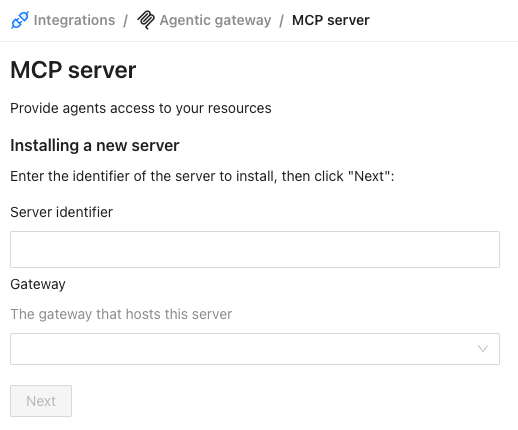
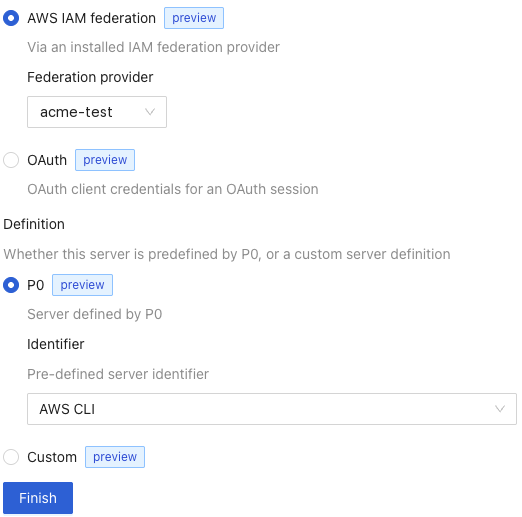
1. Follow the shared steps in [MCP server](/agentic-access/agentic-gateway/mcp-server.md#add-an-mcp-server) to name the server and choose its gateway. On the configuration screen, set the following fields, then click **Finish**:
* **Credential source**: choose **AWS IAM federation**, then select the **Federation provider**: the [AWS OIDC](/agentic-access/credential-sources/aws-oidc.md) identity you installed. The gateway uses this identity's audience when it federates to AWS, and your account's IAM trust policy authorizes it.
* **Definition**: choose **P0**, then select **AWS CLI** as the pre-defined server identifier.
{% hint style="info" %}
A Federation provider maps one-to-one to a single AWS account. To give agents access to multiple AWS accounts, configure a separate AWS MCP server for each account, using that account's [AWS OIDC](/agentic-access/credential-sources/aws-oidc.md) identity as its Federation provider.
{% endhint %}
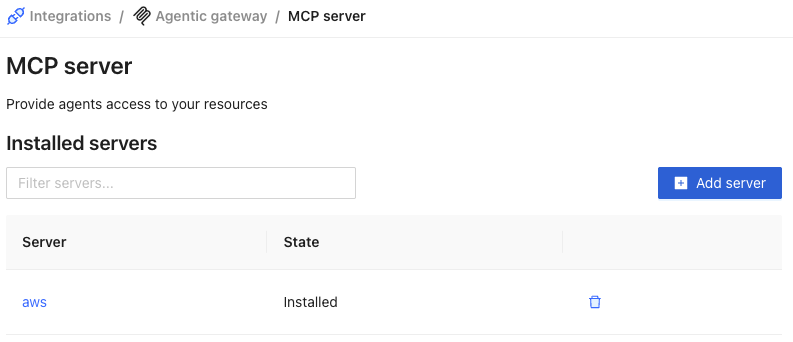
2. The server now appears with the state **Installed**.
Once saved, P0 pushes the server definition to the gateway on its next sync, and the AWS MCP server becomes available to agents through the gateway URL. Access is granted per session and governed by your P0 policy; no long-lived AWS credentials are issued.
## Next steps
* Define the [Agentic access policies](/policy-studio/policy-studio/agentic-access-policies.md) that determine which agents and users may call the AWS MCP server, and what they may do in AWS.