> For the complete documentation index, see [llms.txt](https://docs.p0.dev/llms.txt). Markdown versions of documentation pages are available by appending `.md` to page URLs; this page is available as [Markdown](https://docs.p0.dev/agentic-access/credential-sources/aws-oidc.md).
# AWS OIDC
Install the AWS OIDC federation component so P0 can grant and revoke AWS access for OIDC-authenticated agents running through the P0 AI Gateway.
The **AWS OIDC** integration lets P0 grant and revoke AWS access for OIDC-authenticated agents. It registers an OIDC identity provider in your AWS account and provisions the IAM roles that P0 assumes on the agent's behalf, so an agent reaching AWS through the [P0 Runtime Access for AI](/readme/agentic-control-plane.md) gets short-lived, policy-scoped access with no long-lived credentials.
This component exists specifically to enable **agentic access to AWS through the gateway**. The OIDC provider you register here is the gateway's own identity: the gateway signs a web-identity token, and AWS trusts it via the provider and role pool this component creates.
{% hint style="info" %}
This component is in **preview**. It supports only agentic access via the P0 AI Gateway. It's a prerequisite for the [AWS](/agentic-access/agentic-gateway/mcp-server/aws.md).
{% endhint %}
## Prerequisites
* The base [AWS](/integrations/resource-integrations/aws.md) integration with **IAM management** installed on the same AWS account. AWS OIDC builds on that integration's IAM-write access, and the account picker only lists accounts where it's already installed.
* A deployed P0 AI Gateway. The **OIDC provider URL** and **Audience** you enter below both derive from that deployment's own URL, so install this component after the gateway. See [Deploying the gateway](/agentic-access/agentic-gateway/gateway/deploy.md).
* Permission to apply Terraform (or run the equivalent `aws iam` commands) in the target AWS account, to create an OIDC provider and IAM roles.
## Install the OIDC federation component
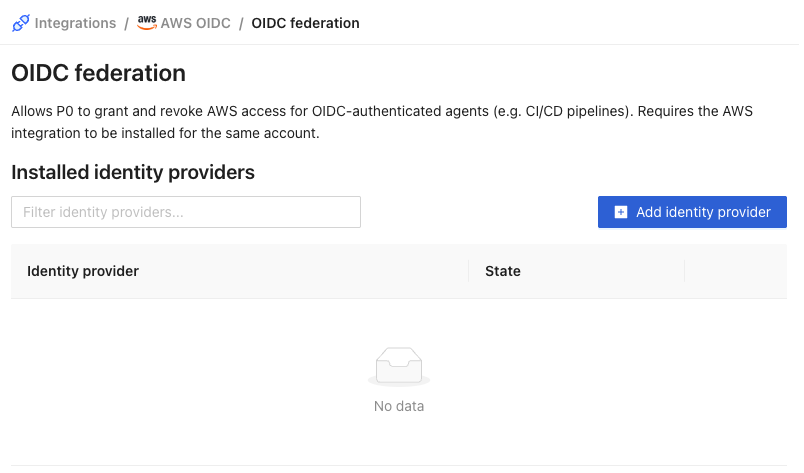
1. Navigate to **Integrations** on [p0.app](https://p0.app), select **AWS OIDC**, and choose the **OIDC federation** component.
2. Click **Add identity provider**.
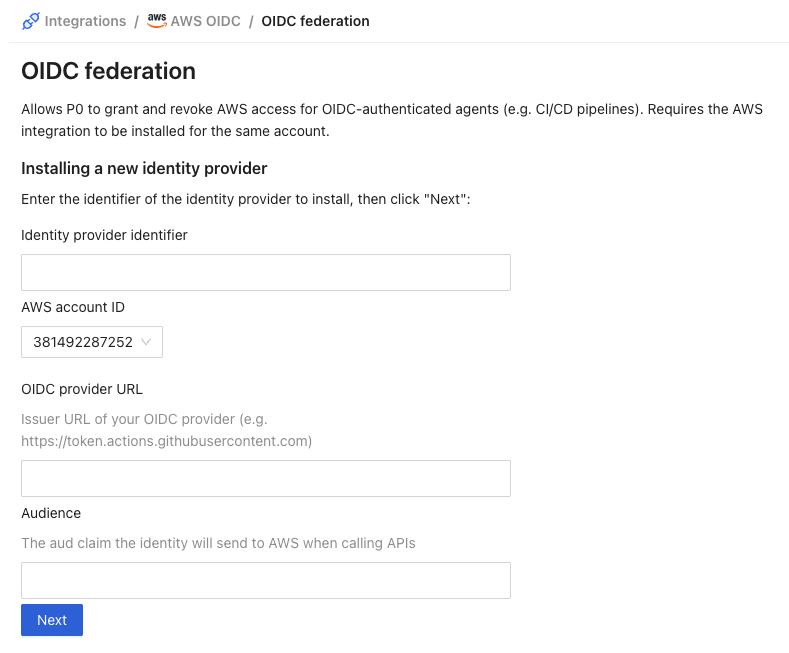
3. Fill in the identity provider details, then click **Next**:
* **Identity provider identifier**: a name for this identity provider within P0 (for example, the name of the gateway environment it serves).
* **AWS account ID**: the account to install into. The dropdown lists the accounts where the base AWS integration's IAM management is installed.
* **Audience**: the `aud` claim the identity presents to AWS. This is the gateway's configured token audience, which defaults to that same gateway URL plus `/mcps`.
* **OIDC provider URL**: your gateway's OIDC issuer URL, which is the gateway's public base URL.
{% hint style="info" %}
**Where to find your gateway's OIDC issuer**
It's your gateway's public base URL, with the `https://` scheme and no trailing slash or path: the same value as `gatewayIss` in the Terraform that deployed the gateway. It has to match the `iss` claim your gateway puts in the tokens it mints.
* **P0-hosted domain**: P0 generated the hostname for you and shows it during the gateway install, on the **LoadBalancer address** step, in the line "P0 will automatically create the DNS record for `…`". The console displays a bare hostname there, so enter it as `https://`.
* **Self-hosted domain**: the **Agentic gateway URL** you entered when you installed the gateway.
{% endhint %}
{% hint style="info" %}
The **OIDC provider URL** and **Audience** are separate values. The OIDC provider URL is the issuer (`iss`) of the tokens your gateway mints. The Audience is the `aud` claim those tokens carry. P0 derives the trust-policy condition key from the provider URL (host and path) and matches the `aud` condition against the Audience you enter.
{% endhint %}
4. P0 generates a Terraform configuration. Copy it into your Terraform project, `apply` it, then click **Next**.
The generated configuration registers the OIDC provider and provisions the IAM roles P0 uses to grant access.
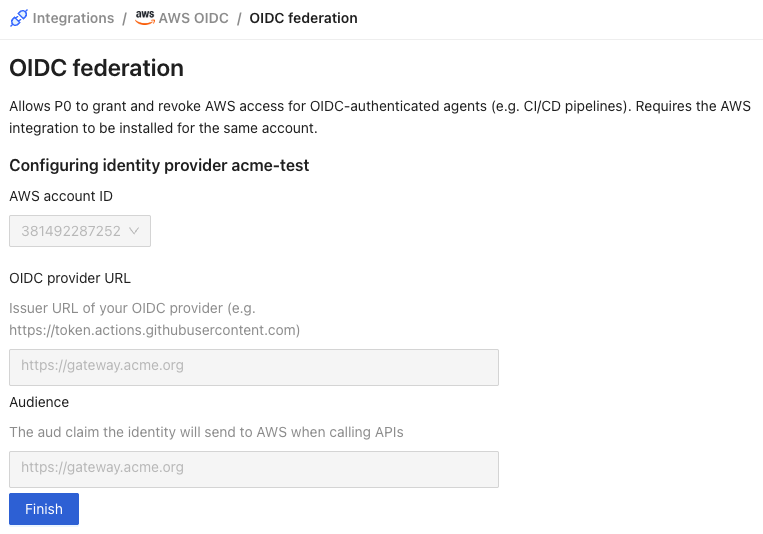
5. Review the read-only summary and click **Finish**.
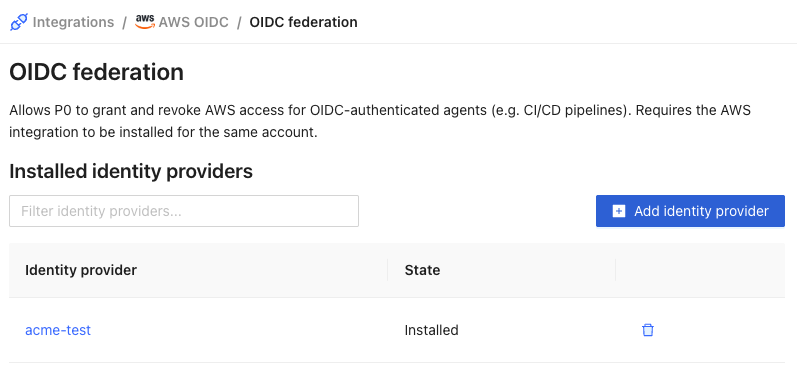
6. The identity provider now appears with the state **Installed**.
## How it works
When an agent requests AWS access through the gateway, P0 attaches temporary, policy-scoped permissions to one of the pre-provisioned IAM roles and conditions them on the token's subject (`sub`). The audience (`aud`) isn't checked at this step. It's enforced by the trust policy on the pre-provisioned roles, created by the Terraform you apply when installing this component. The gateway signs a web-identity token and calls `sts:AssumeRoleWithWebIdentity` to assume the role. P0 never issues long-lived AWS credentials to the agent, and removes the grant when the session ends or the agent relinquishes it.
The `sub` changes with every session and caller, so don't condition on a fixed value. To scope a role to one MCP server, match the stable prefix (`//*`) with `StringLike`.
## STS endpoint region
The gateway calls STS in `us-east-1` to get each agent's temporary credentials. The credentials work in every region, so the STS region doesn't have to match where your AWS resources are.
Change the region only if an AWS policy or your cluster's outbound rules block STS calls to `us-east-1`. Set `ai-gateway.authServer.awsRegion` to a region the cluster can reach and apply it like any other chart value, as in [Helm chart values reference](/agentic-access/agentic-gateway/gateway/deploy/chart-values.md#setting-values):
```yaml
ai-gateway:
authServer:
awsRegion: eu-west-1
```
Pick a region your AWS account has enabled. In a region that isn't enabled, such as `ap-east-1` or `me-south-1`, the gateway's STS calls fail until you [enable the region](https://docs.aws.amazon.com/accounts/latest/reference/manage-acct-regions.html). Allow outbound access to `sts..amazonaws.com` for the region you chose. See the gateway's [Deploying the gateway](/agentic-access/agentic-gateway/gateway/deploy.md#network-requirements).
## Next steps
* Configure the [AWS](/agentic-access/agentic-gateway/mcp-server/aws.md) to expose AWS to agents behind the gateway, using this OIDC identity as its credential provider.