> For the complete documentation index, see [llms.txt](https://docs.p0.dev/llms.txt). Markdown versions of documentation pages are available by appending `.md` to page URLs; this page is available as [Markdown](https://docs.p0.dev/integrations/directory-integrations/microsoft-entra-id-legacy/requesting-access.md).
# Requesting Microsoft Entra ID access (legacy)
Requesting access to Microsoft Entra ID groups
## Before you begin:
{% content-ref url="/pages/vVKXZxFXZJ6mVhrRx1Ps" %}
[Microsoft Entra ID (legacy)](/integrations/directory-integrations/microsoft-entra-id-legacy.md)
{% endcontent-ref %}
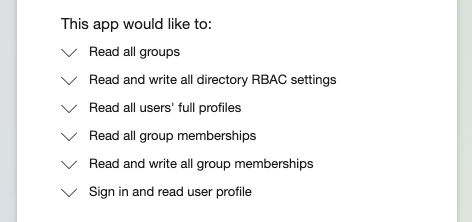
The permissions that are to be granted for requesting access to Entra ID groups.
## Requesting from Slack
We'll start by requesting access to groups in Entra ID via the p0 Slack Bot. If you haven't yet installed the Slack integration in your workspace, please do that first.
{% content-ref url="/pages/9Ytmb5OpYXghQQZ3M4nS" %}
[Slack](/integrations/notifier-integrations/slack.md)
{% endcontent-ref %}
Once you've installed the Slack integration in your p0 app, you'll be able to make requests and approve/deny them directly inside of Slack.
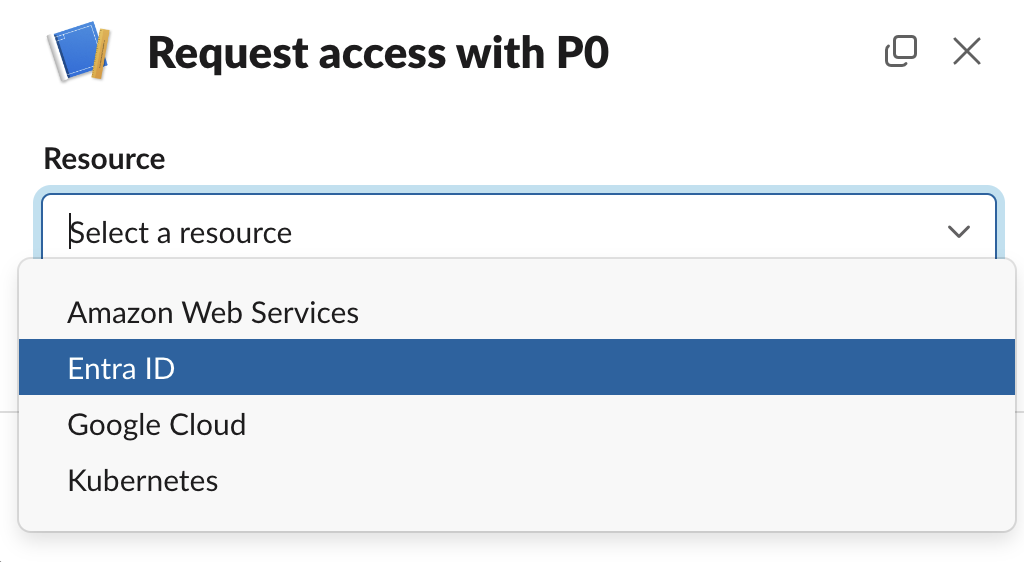
Type `/p0 request` in Slack or click the run shortcut button \[/] and locate the p0 bot ("Request access with p0Bot"). This pops up a modal. Choose **Entra ID (Legacy)** from the Resource type to continue.
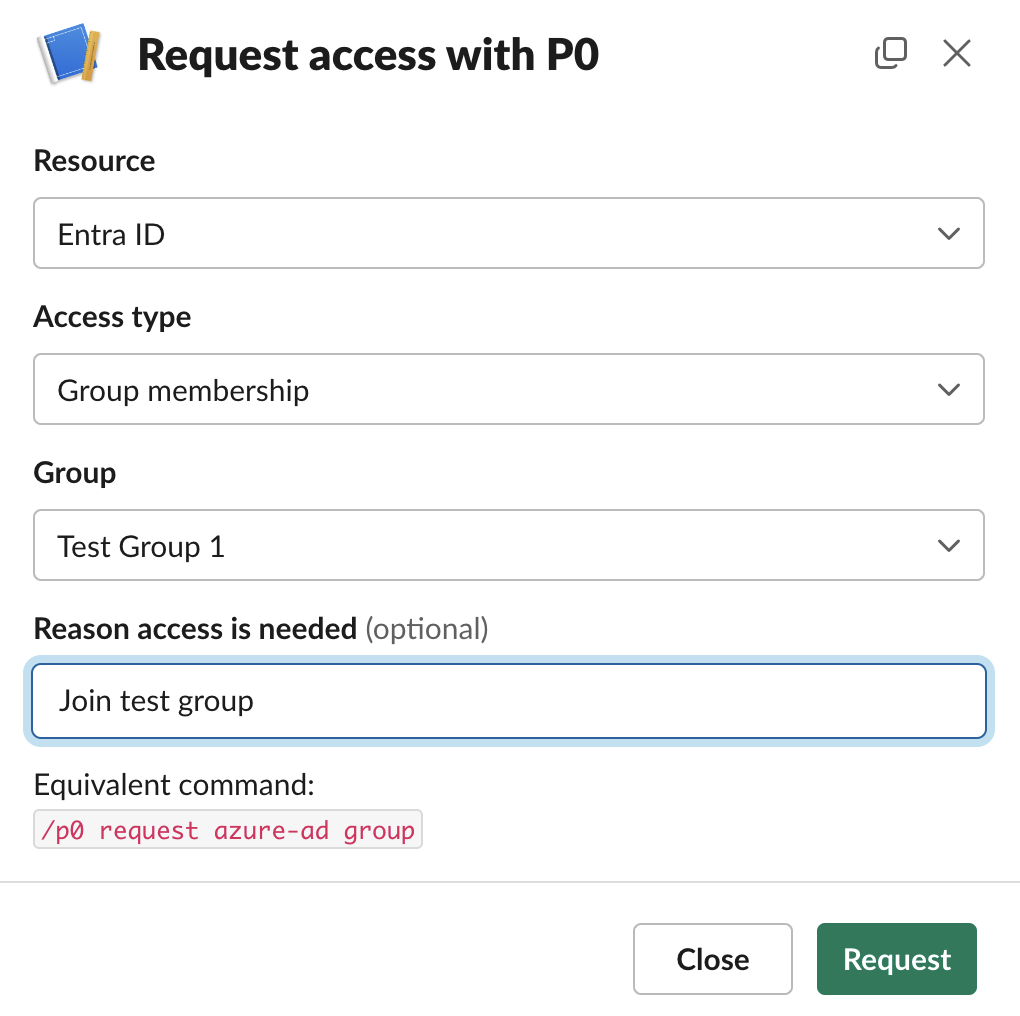
**Access Type :** Request access to group.
**Group:** Typeahead to select static groups
**Reason:** Optionally, provide a reason to be communicated to the approver(s).
Then click the button to submit the request, and see [#next-steps](#next-steps "mention").
#### Slack command:
Alternatively the request can be raised using the following commands:
```
/p0 request azure-ad membership XXXX-XXX-XXXX-XXXXX
/p0 request azure-ad membership "Test Group 1"
```
Provide the group as a single positional argument, using either its GUID or its complete name (in double quotes).
#### Next Steps:
{% content-ref url="/pages/Pycv2zpswUhdyvHKxEiy" %}
[Requesting access](/access-management/just-in-time-access/requesting-access.md)
{% endcontent-ref %}