> For the complete documentation index, see [llms.txt](https://docs.p0.dev/llms.txt). Markdown versions of documentation pages are available by appending `.md` to page URLs; this page is available as [Markdown](https://docs.p0.dev/integrations/resource-integrations/aws/installation-methods/iam.md).
# IAM
Configure the P0 AWS IAM management integration to provision users defined in the account's IAM service, matching them by user name or by an email tag.
Choose the **IAM** login type when your users are defined directly in the account's IAM service. P0 matches each requestor to an IAM user and grants access to that user. This is the default login type.
## Prerequisites
* AWS IAM management installed on the target account. See [Setting up AWS IAM management](/integrations/resource-integrations/aws/installation-methods.md).
## Configure IAM provisioning
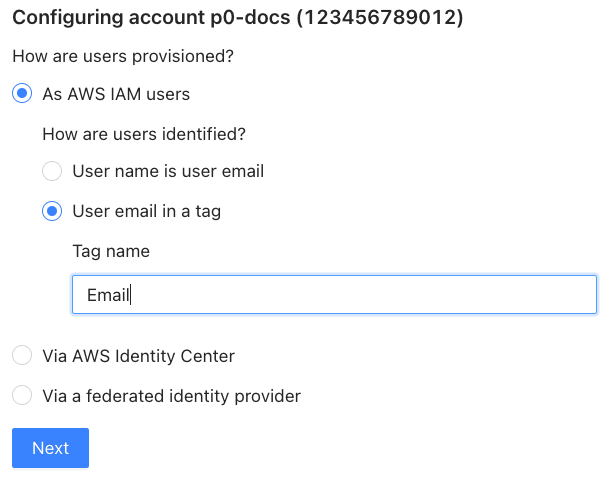
On the AWS IAM management configuration page, select **As AWS IAM users**, then choose how P0 identifies your users:
* **User name is user email**: Select this option if each user's IAM user name equals their email address. P0 matches users by user name.
* **User email in a tag**: Select this option if user names don't equal email addresses. P0 reads the email from a tag you specify.
### Match users by an email tag
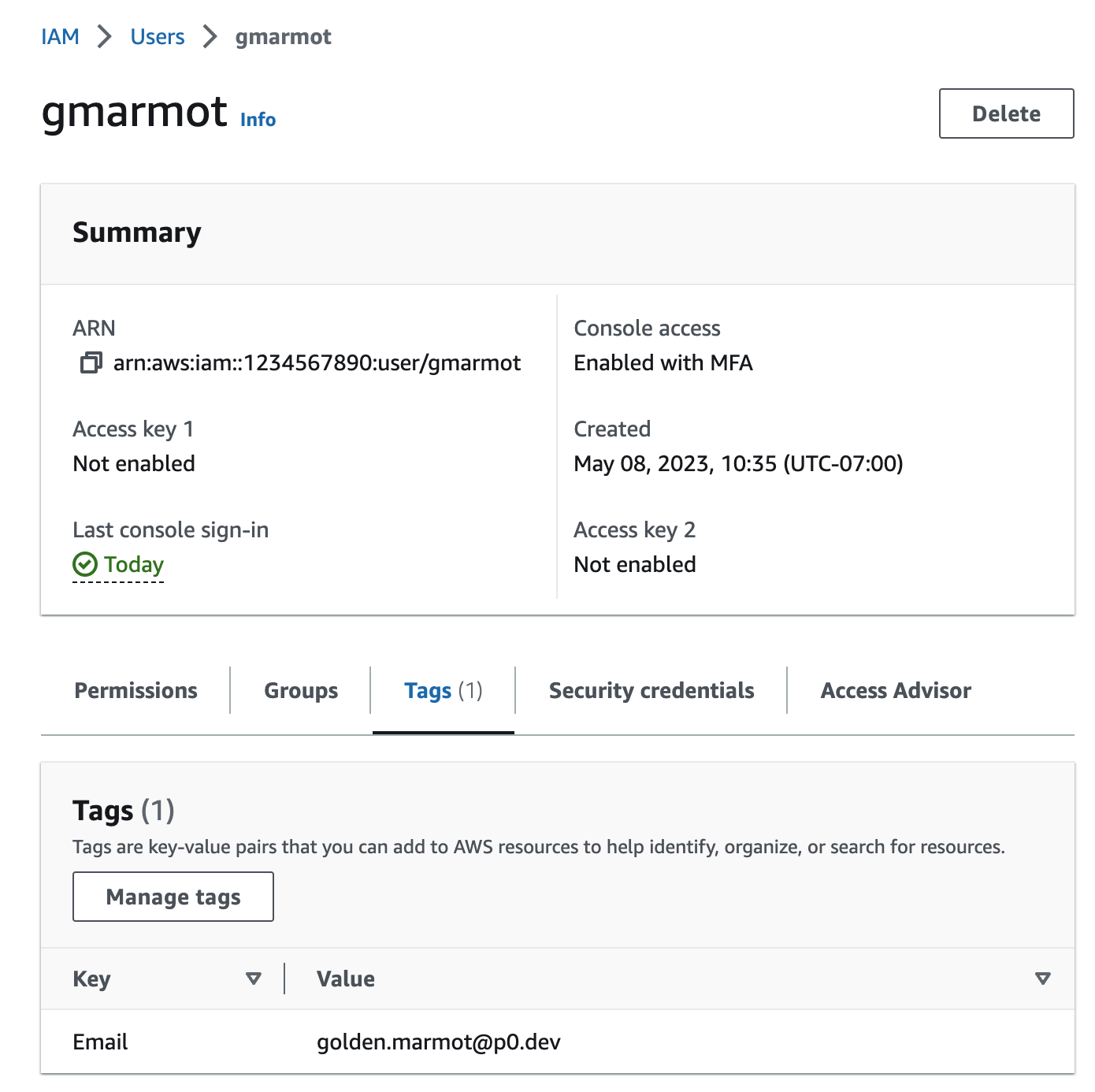
If your IAM user names don't equal email addresses, add a tag to each user you want to allow access through P0, then give P0 the tag name. For example, with a tag named `Email`:
## Related
* [Requesting AWS access](/integrations/resource-integrations/aws/requesting-access.md)
* [Setting up AWS IAM management](/integrations/resource-integrations/aws/installation-methods.md)