> For the complete documentation index, see [llms.txt](https://docs.p0.dev/llms.txt). Markdown versions of documentation pages are available by appending `.md` to page URLs; this page is available as [Markdown](https://docs.p0.dev/integrations/resource-integrations/microsoft-azure/azure-app-registration.md).
# Azure app registration
Create the Azure app registration that establishes P0's service identity in your tenant.
The app registration establishes the base service identity P0 uses in your tenant. Additional permissions are granted to this identity as you add integrations.
{% hint style="warning" %}
Complete this step before proceeding to [IAM management](/integrations/resource-integrations/microsoft-azure/iam-management.md). All other Azure integration steps depend on the app registration.
{% endhint %}
## Setup steps
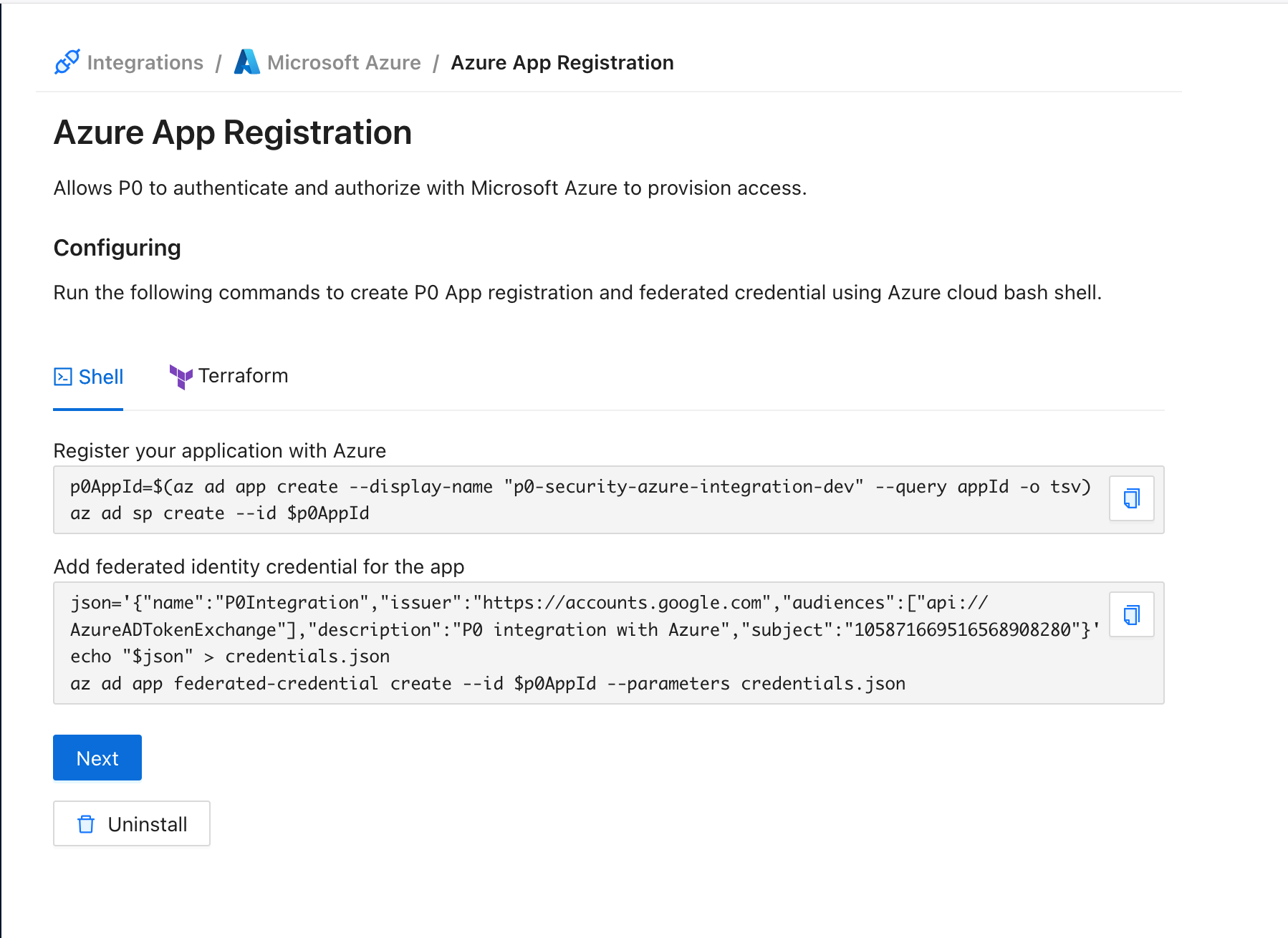
1. In the Azure integration on [p0.app](https://p0.app), select **Azure app registration**.
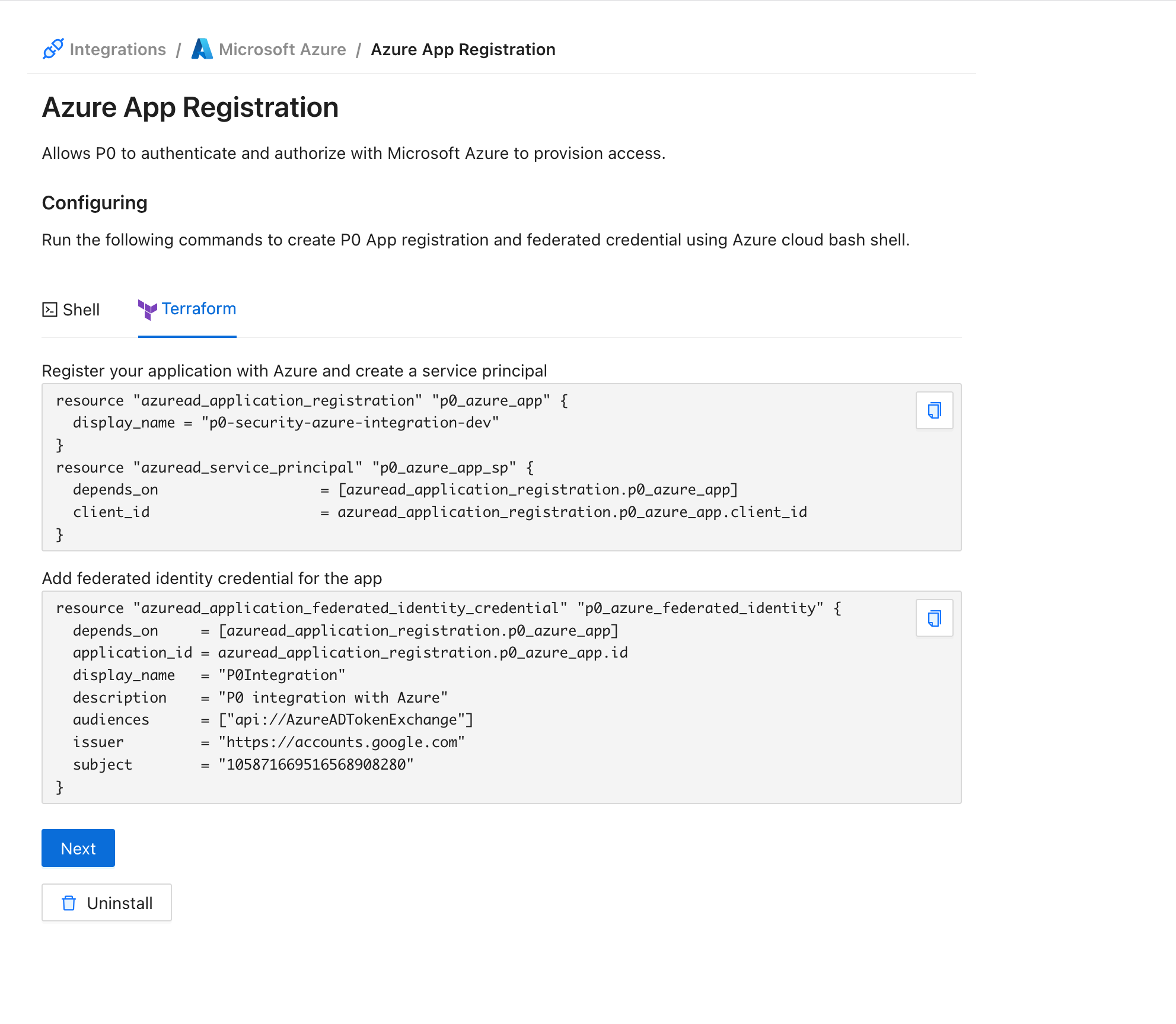
2. Choose either Shell or Terraform and run the generated steps to create the app registration in your tenant.
When the commands complete successfully, the app registration is installed.
## Manage with the P0 Terraform provider
Instead of running the generated Shell steps, you can create the app registration as code with the [P0 Terraform provider](https://registry.terraform.io/providers/p0-security/p0/latest). This is the recommended path for teams that manage their P0 configuration declaratively.
The app registration builds on the root [`p0_azure`](https://registry.terraform.io/providers/p0-security/p0/latest/docs/resources/azure) resource, which registers your Entra ID tenant with P0. Stage the installation with [`p0_azure_app_staged`](https://registry.terraform.io/providers/p0-security/p0/latest/docs/resources/azure_app_staged) to obtain the application name and federated credential details, create the Azure AD application and its federated credential from those outputs, then complete the installation with [`p0_azure_app`](https://registry.terraform.io/providers/p0-security/p0/latest/docs/resources/azure_app), passing the new application's client ID.
For the full argument reference and a worked example of the complete chain, see the [`p0_azure_app` resource documentation](https://registry.terraform.io/providers/p0-security/p0/latest/docs/resources/azure_app).
## Next step
Proceed to [IAM management](/integrations/resource-integrations/microsoft-azure/iam-management.md) to enable Just‑in‑Time access.
.png?alt=media)