> For the complete documentation index, see [llms.txt](https://docs.p0.dev/llms.txt). Markdown versions of documentation pages are available by appending `.md` to page URLs; this page is available as [Markdown](https://docs.p0.dev/integrations/resource-integrations/microsoft-azure/iam-management.md).
# IAM management
Enable Just‑in‑Time access to Azure resources by installing IAM management.
Install IAM management to enable Just‑in‑Time (JIT) access to Azure resources through P0.
{% hint style="warning" %}
Complete [Azure app registration](/integrations/resource-integrations/microsoft-azure/azure-app-registration.md) before starting this step. IAM management requires the service identity created during app registration.
{% endhint %}
## Permissions
### Microsoft Graph API permission
During setup, P0 grants the `User.Read.All` Microsoft Graph API permission to the Azure app registration created in [Azure app registration](/integrations/resource-integrations/microsoft-azure/azure-app-registration.md). P0 uses this permission to look up the requesting user's identity in your Entra ID directory when normalizing an access request.
| Permission | Type | Purpose |
| --------------- | ----------- | --------------------------------------------- |
| `User.Read.All` | Application | Read user profiles in your Entra ID directory |
This is a read-only permission. P0 cannot modify user profiles.
{% hint style="warning" %}
**Admin consent is required.** Application permissions such as `User.Read.All` take effect only after an Entra ID administrator grants admin consent. The setup steps grant this consent for you, but the account running them must have privileges to consent on the tenant's behalf (for example, Privileged Role Administrator or Global Administrator). If admin consent is not granted, install verification fails and P0 cannot resolve requesting users.
{% endhint %}
{% hint style="info" %}
A separate Entra ID directory integration is **not required** for IAM management. The `User.Read.All` permission on the app registration is sufficient for P0 to resolve user identities when processing access requests.
{% endhint %}
## Setup steps
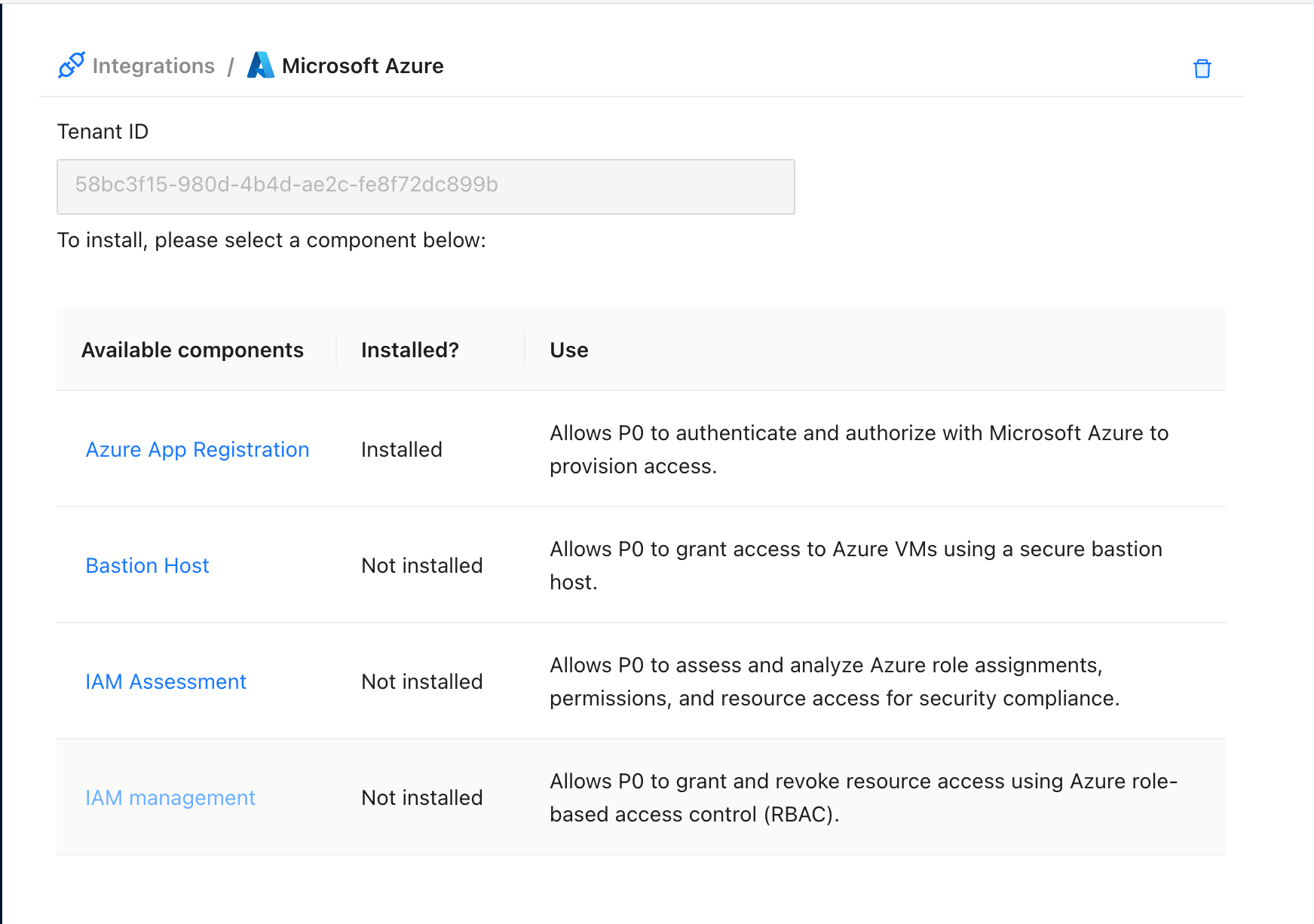
1. In the Azure integration on [p0.app](https://p0.app), select **IAM Management**.
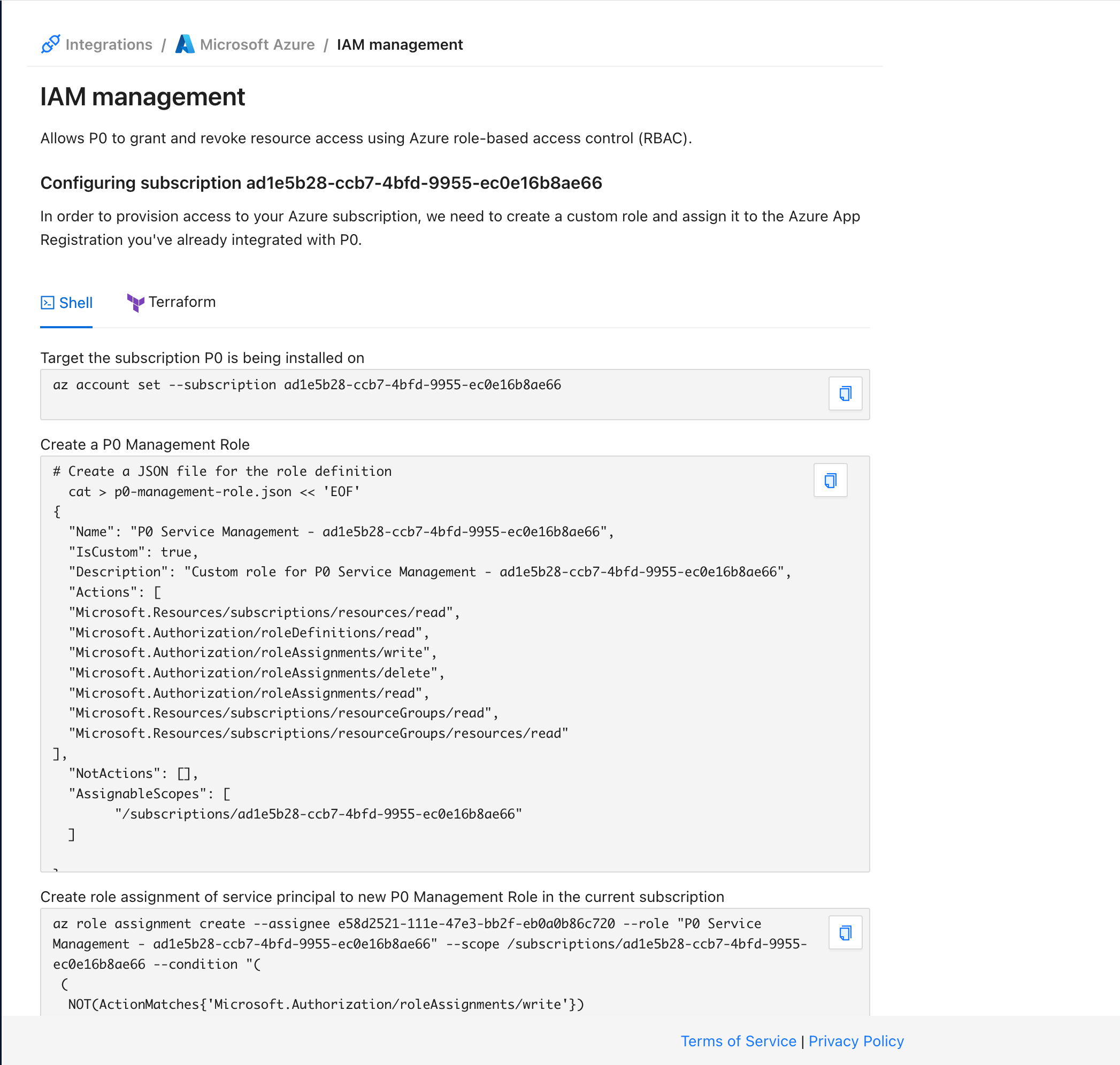
2. Run the Shell or Terraform steps shown. The Shell steps include:
* **Microsoft Graph API permission:** Add `User.Read.All` to the P0 app registration.
* **Admin consent:** Grant admin consent for `User.Read.All` via the Microsoft Graph API. Run this step with an account that can consent on the tenant's behalf.
* **Subscription targeting:** Set the Azure CLI to the target subscription.
* **Custom role creation:** Create the P0 management role with the required permissions.
* **Role assignment:** Assign the custom role to the P0 service principal.
After these commands finish, JIT access through P0 is set up for the given subscription.
## Manage with the P0 Terraform provider
Instead of running the generated Shell steps, you can install IAM management as code with the [P0 Terraform provider](https://registry.terraform.io/providers/p0-security/p0/latest). This is the recommended path for teams that manage their P0 configuration declaratively.
Stage the installation with [`p0_azure_iam_write_staged`](https://registry.terraform.io/providers/p0-security/p0/latest/docs/resources/azure_iam_write_staged) to compute the custom role spec P0 needs to manage role assignments in the subscription, create that role and assign it to P0's service principal, then complete the installation with [`p0_azure_iam_write`](https://registry.terraform.io/providers/p0-security/p0/latest/docs/resources/azure_iam_write). Both resources build on the [`p0_azure`](https://registry.terraform.io/providers/p0-security/p0/latest/docs/resources/azure) and [`p0_azure_app`](https://registry.terraform.io/providers/p0-security/p0/latest/docs/resources/azure_app) resources you set up during [Azure app registration](/integrations/resource-integrations/microsoft-azure/azure-app-registration.md).
For the full argument reference and a worked example, see the [`p0_azure_iam_write` resource documentation](https://registry.terraform.io/providers/p0-security/p0/latest/docs/resources/azure_iam_write).
## Next step
* To enable SSH for Azure VMs, proceed to [Configure bastion host integration](/integrations/resource-integrations/microsoft-azure/configure-bastion-host-integration.md).
* To start requesting JIT access, see [Requesting Microsoft Azure access](/integrations/resource-integrations/microsoft-azure/requesting-access.md).
.png?alt=media)