> For the complete documentation index, see [llms.txt](https://docs.p0.dev/llms.txt). Markdown versions of documentation pages are available by appending `.md` to page URLs; this page is available as [Markdown](https://docs.p0.dev/readme/posture.md).
# Posture
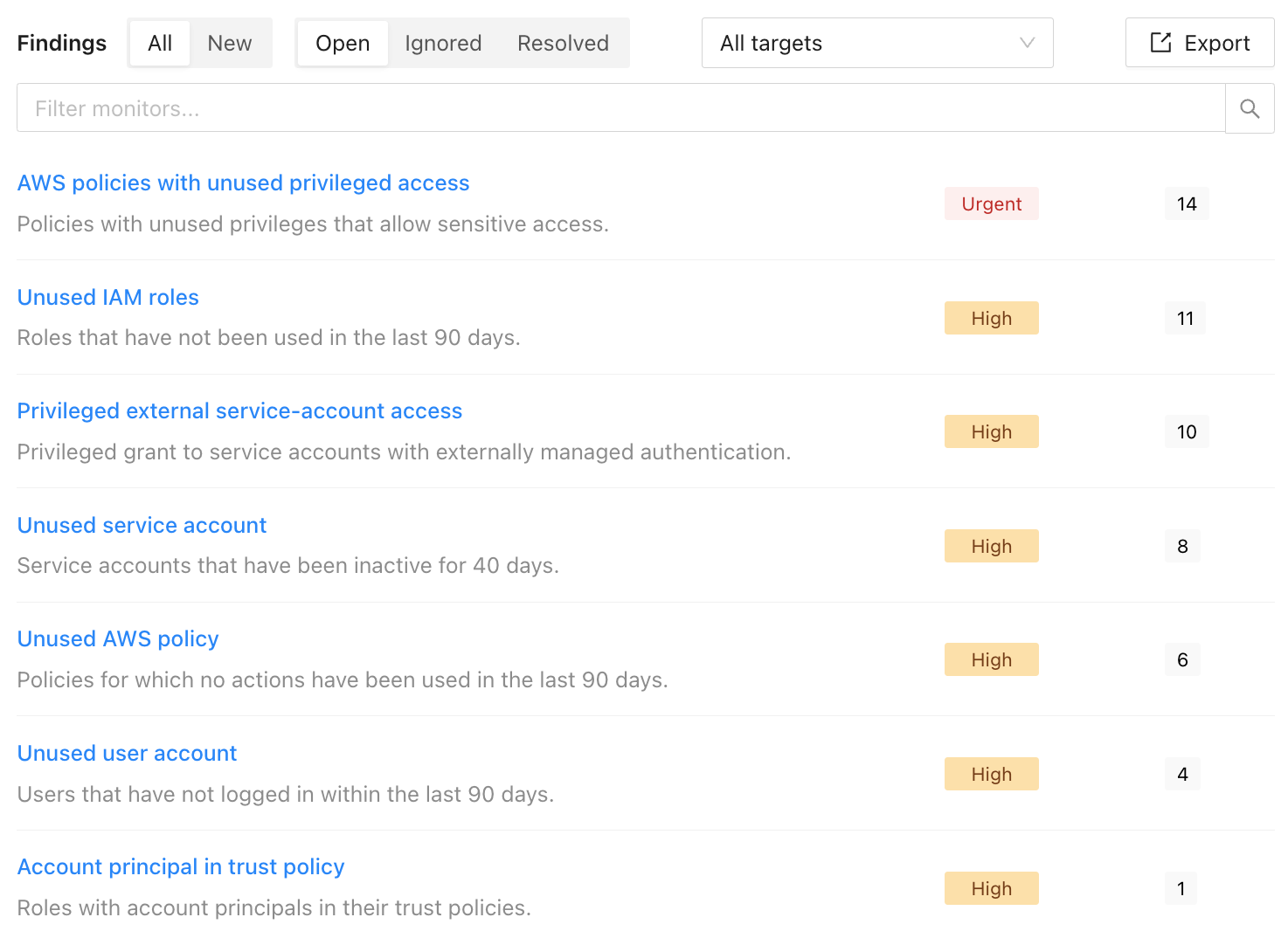
Automatically scan your cloud environment for access risks. P0 Security detects overprivileged accounts, stale credentials, and security vulnerabilities.
With Posture, P0 automatically scans your environment for access risks.
### Features
* Detects access vulnerabilities from authentication, authorization, and lateral movement
* Automatically determines finding assignees based on fine-grained resource ownership
* Provides automated remediation suggestions and lets users document acceptable risks
### How it works
P0 automatically scans your access graph for issues after collecting your [Access inventory](/readme/access-inventory.md).
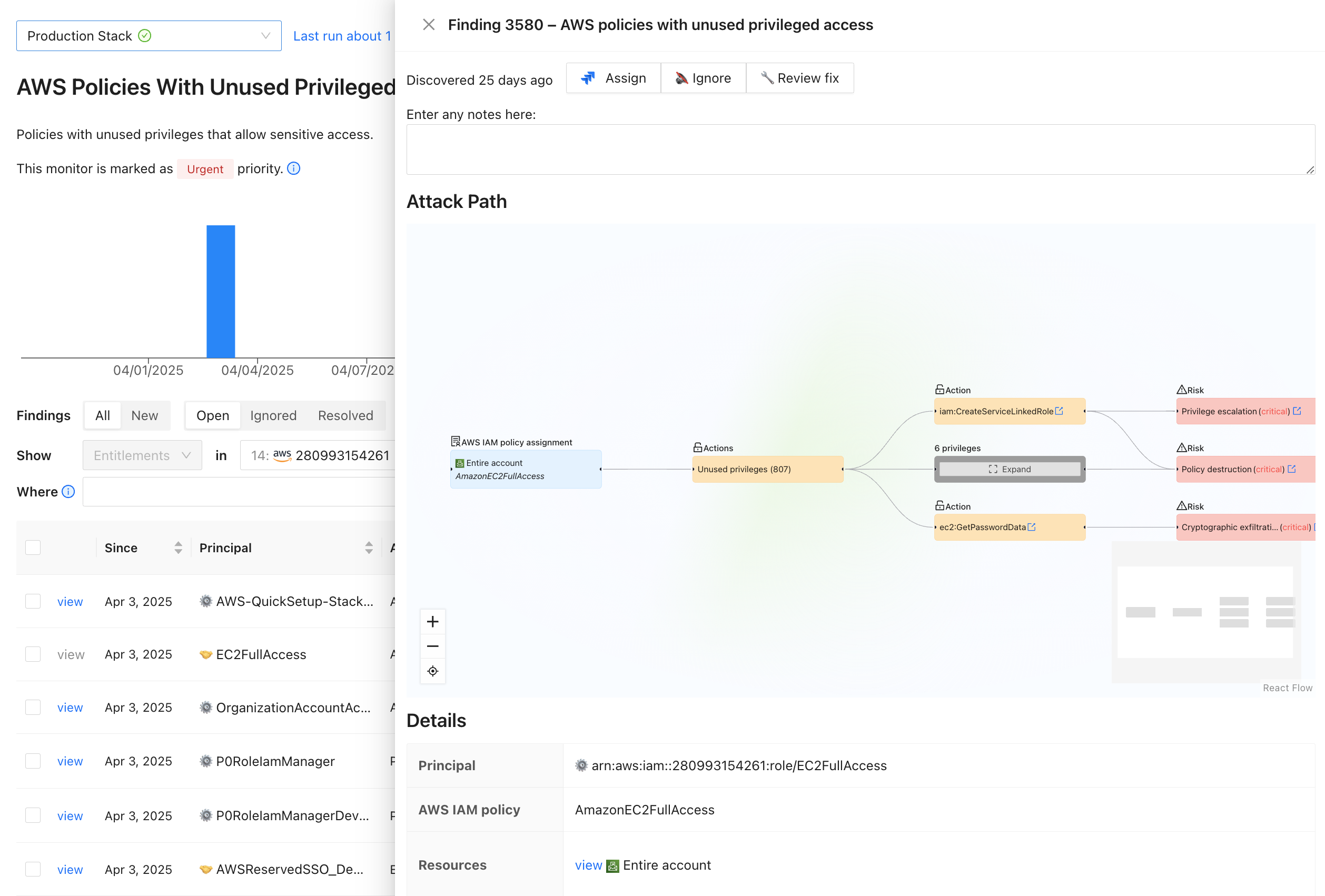
For each finding, you can view the attack path, assign findings, and review auto-generated fixes.
### Related documentation
* [Posture overview](/posture/posture-overview.md): Filter, export, and manage posture findings in detail
* [Monitor results](/posture/monitor-results.md): View individual monitor results and take bulk actions
* [Finding details](/posture/finding-details.md): Inspect attack paths, assign findings, and review suggested fixes
### Getting started
P0 automatically collects posture findings after you follow [Creating an environment](/getting-started/creating-an-environment.md). For a Posture-focused walkthrough that covers running your first scan and triaging findings, see [Find risky access with Posture](/getting-started/getting-started-with-posture.md). The same scan also powers [Access inventory](/inventory/access-inventory.md). To explore your access graph, see [Explore who has access to what with Access Inventory](/getting-started/getting-started-with-access-inventory.md).